Pipedrive Workflow Automation Examples to improve your Sales Productivity
A running list of Pipedrive workflow automation examples to improve your sales processes using automation tools like Zapier, Make, and n8n.
Introduction
I have created 100s of automation flows for my Pipedrive clients.
I am creating this page as a running list of automation ideas that anybody can use.
So let’s look at some Pipedrive Workflow Automation Examples.
This article is also part of a bigger topic: Setup tips for Pipedrive CRM, which I have covered in detail.
For some of these automation workflows, you will need a variety of tools/add-ons: Make, Zapier, or n8n (all affiliate links).
For some of these flows, you may also need an automation expert.
I have listed all the add-ons that play along well with Pipedrive.
Here’s a complete guide to learn how to use Pipedrive.
You can also read my detailed review of Pipedrive.

One-time Automation Ideas
1. Create activities or deals in bulk
Read this article to learn how to create activities or deals in bulk using automation.
2. Adding links to deals to refer to in emails
Read this article to learn how to add links to deals to include in email templates.
Leads Assignment
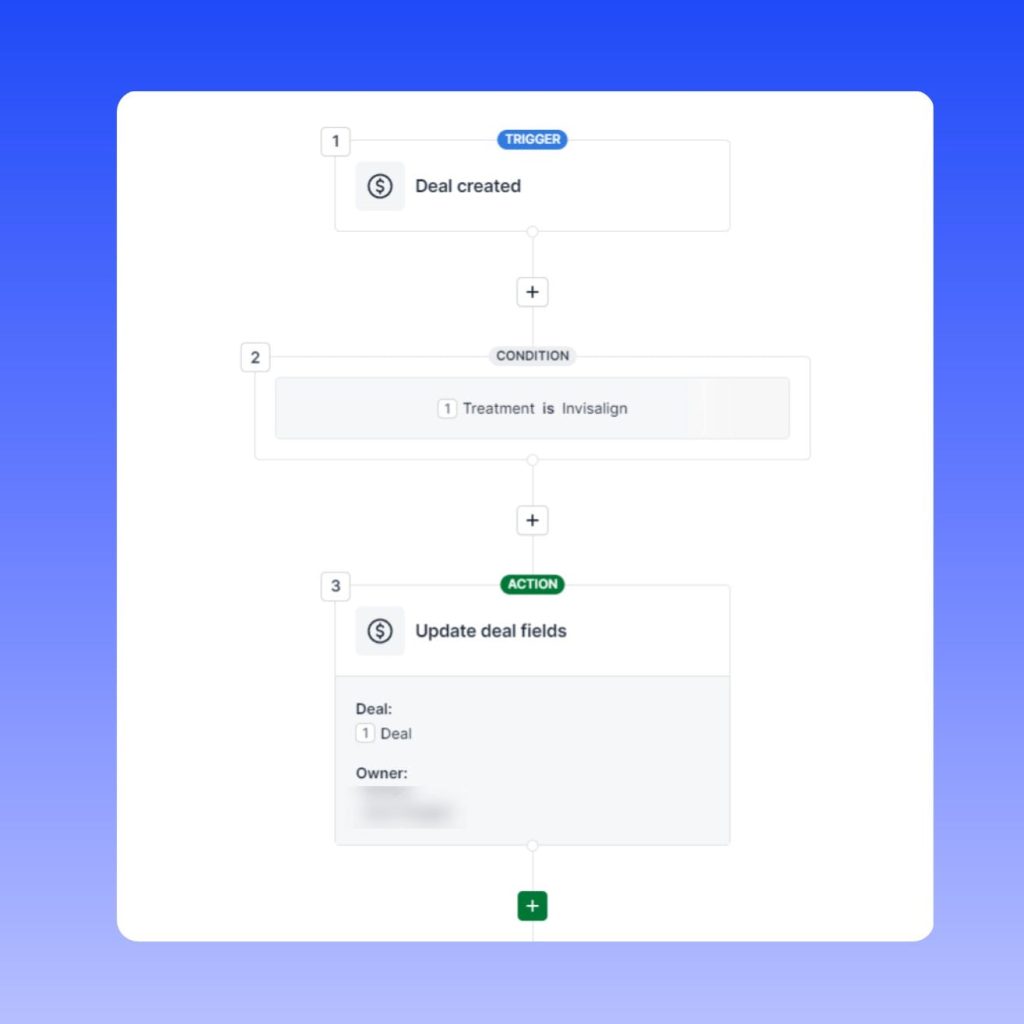
1. Assign newly created deals to members of the sales team based on predefined criteria
There are many other ways to assign deals in Pipedrive.
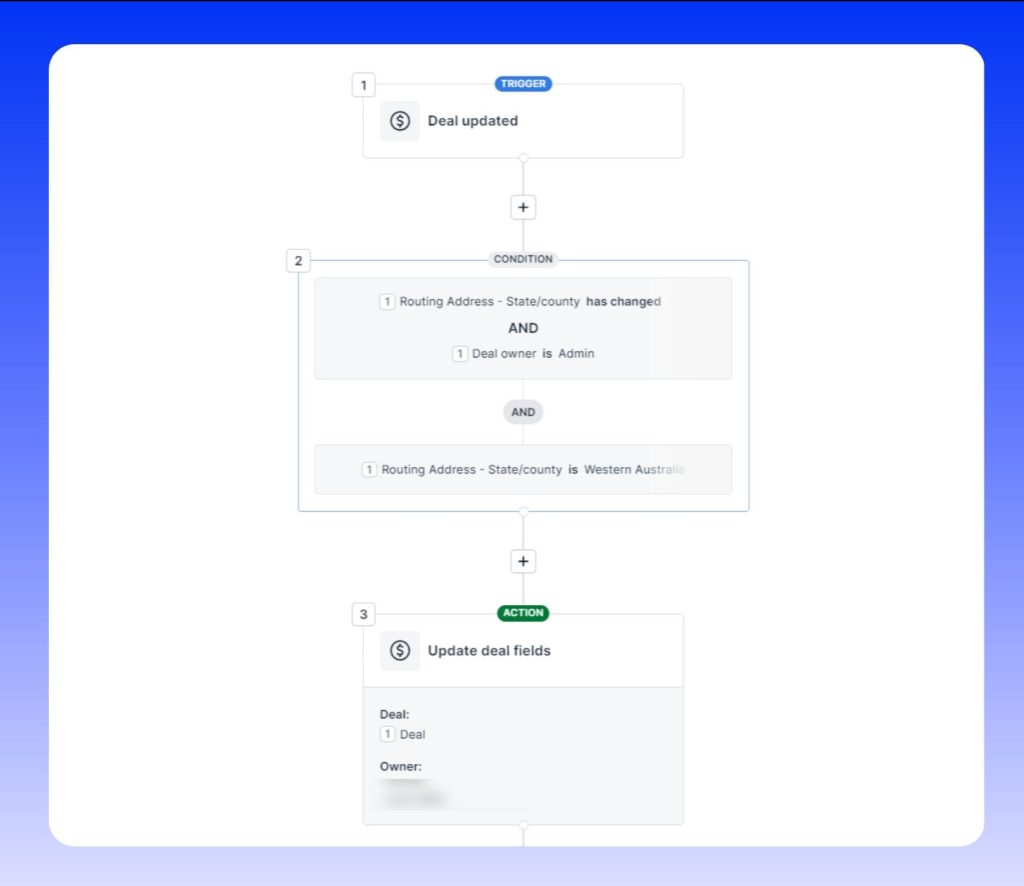
2. Assign newly created deals to members of the sales team based on the enquirer’s geographic address
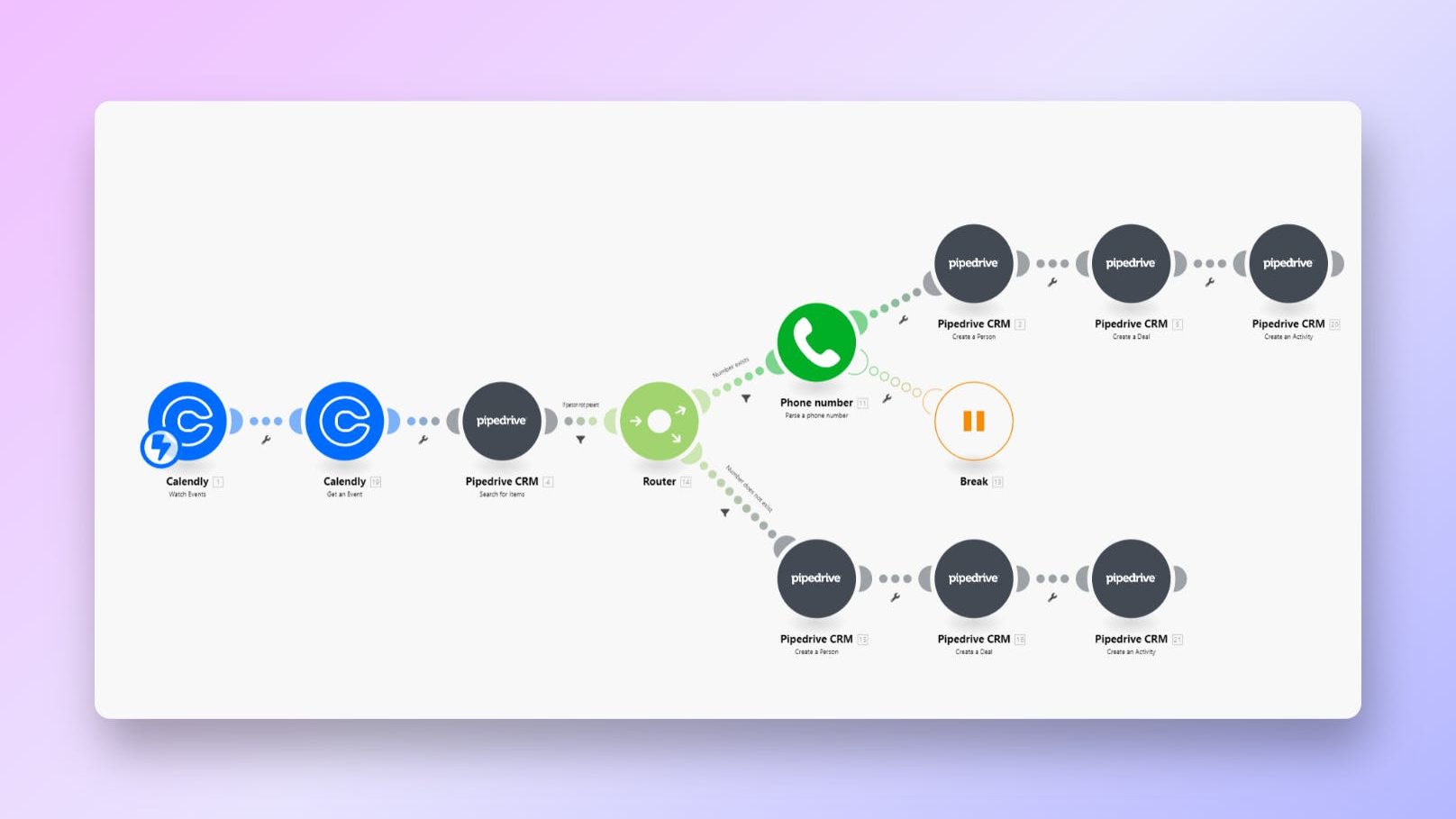
3. Send Calendly Bookings to Pipedrive as Deals
This is a Make/Integromat workflow to add new Calendly bookings to your Pipedrive account as person, deal, and the scheduled meeting as an activity.
Streamline handover of deals
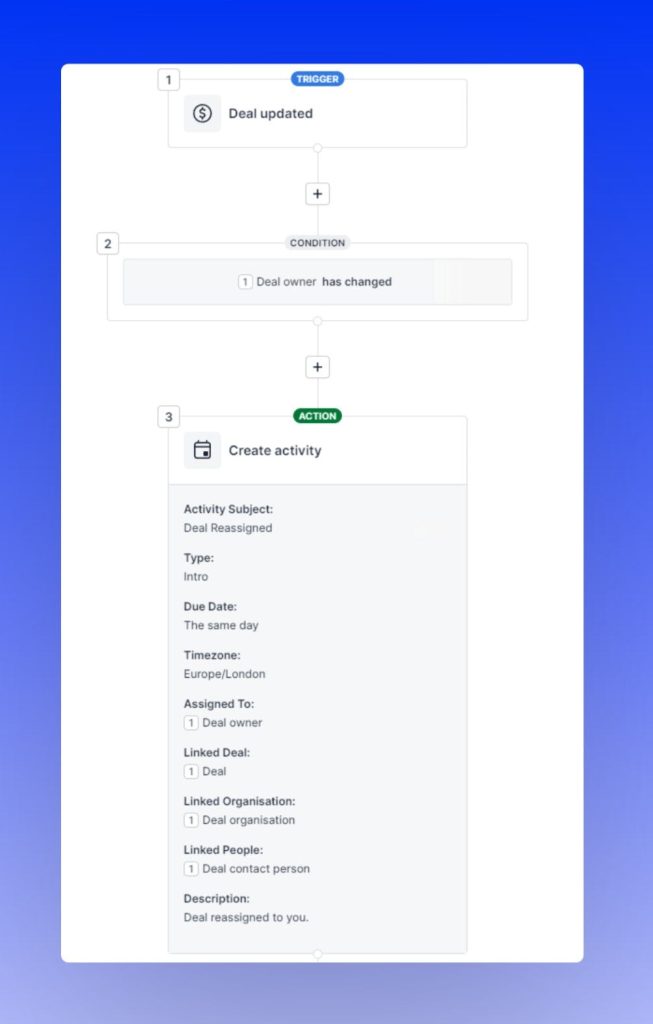
1. Create an activity for the new deal owner when a deal is reassigned
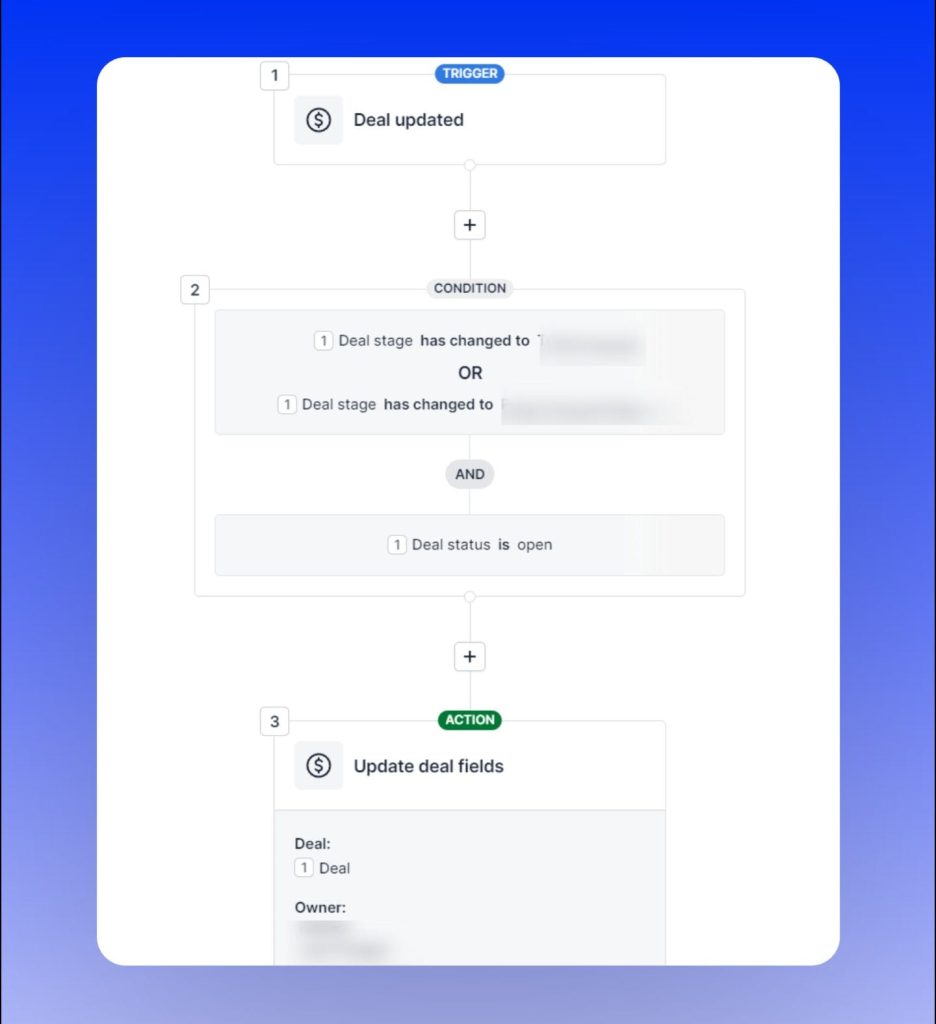
2. Reassign deals to another person when it reaches a certain stage
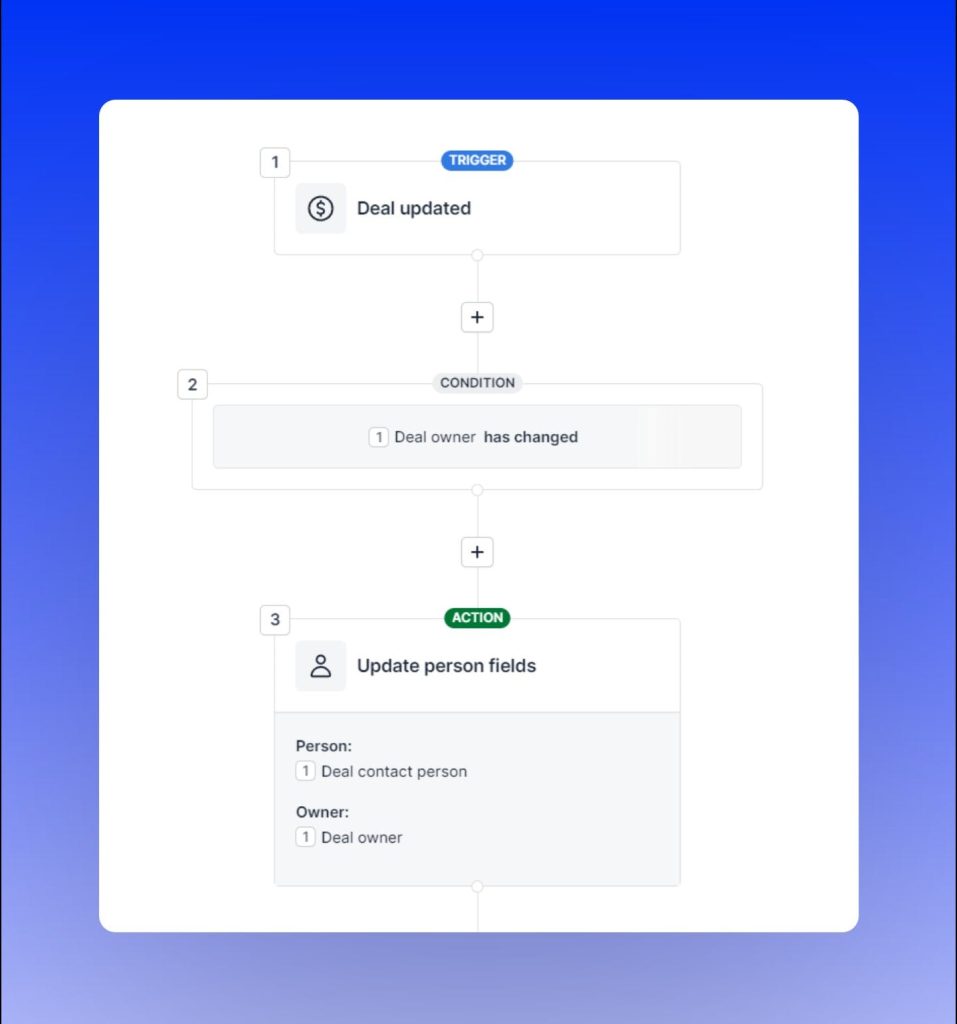
3. Change person/organization ownership when deal ownership changes
Optimize the selling process
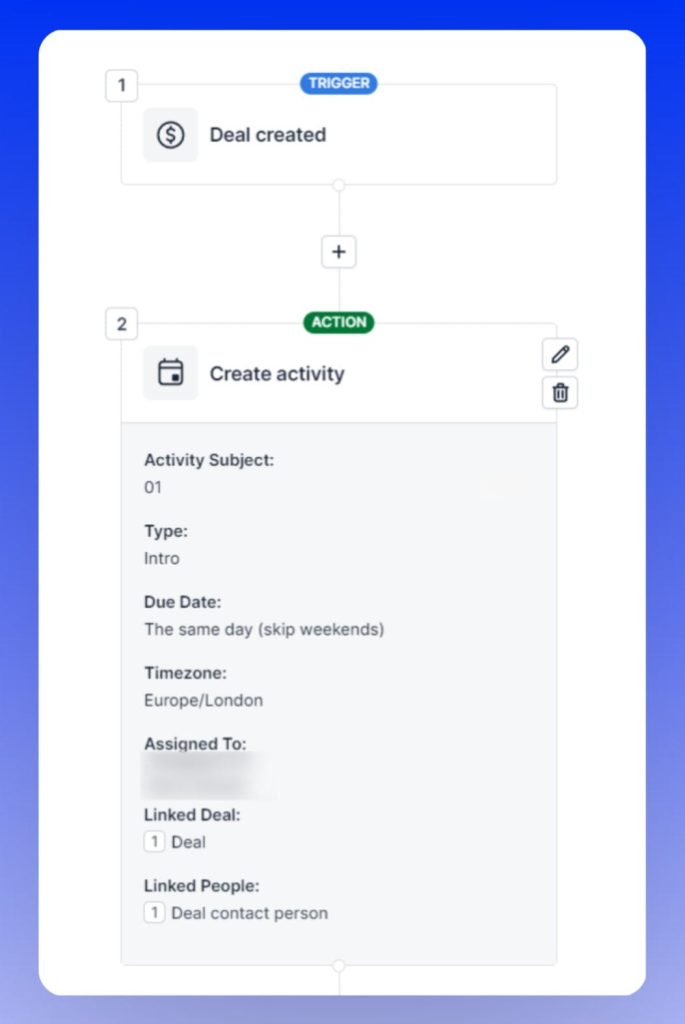
1. Create an activity for a new deal so you don’t have to leave the Activity view
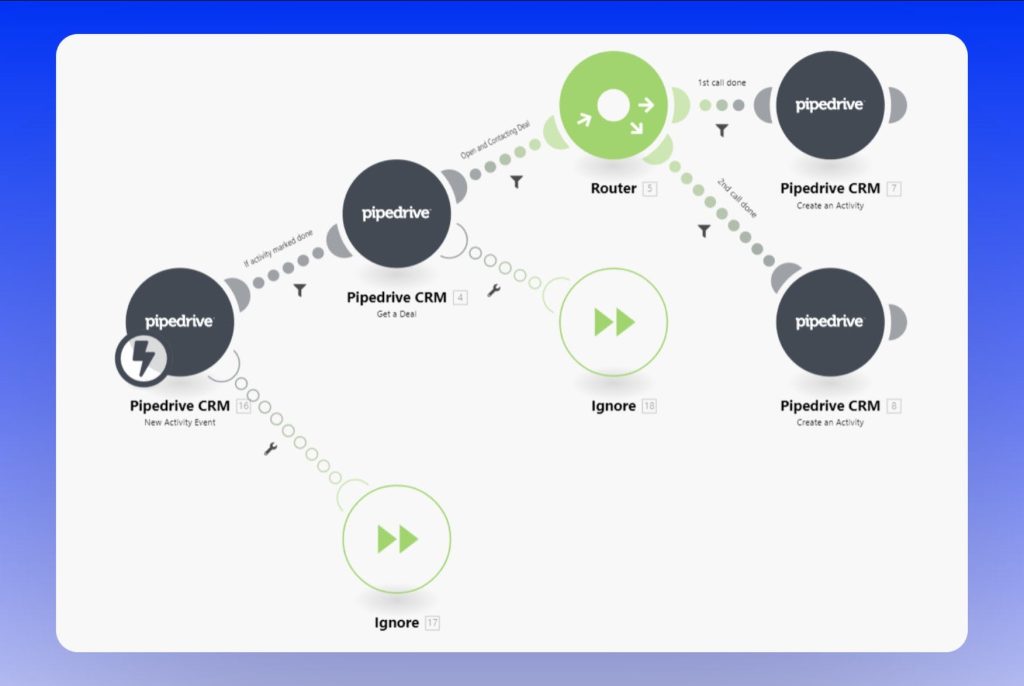
2. Create a new activity when a previous activity is marked done

3. Schedule the next activity in the engagement sequence
4. Move deals to the next stage when an activity is marked done
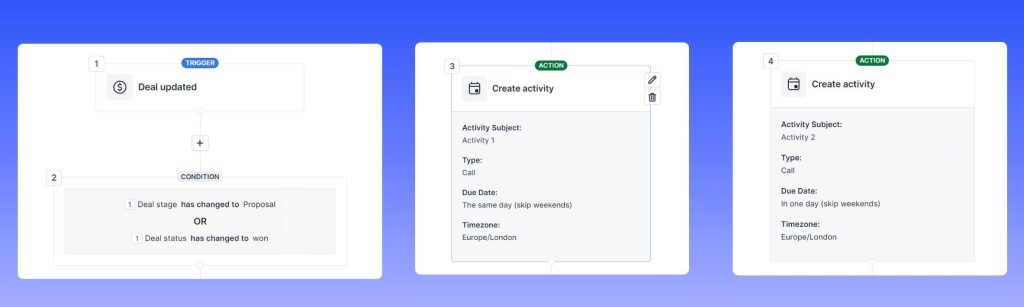
5. Create a list of activities when a deal’s stage or status changes to emulate checklists
Keeping the account clean
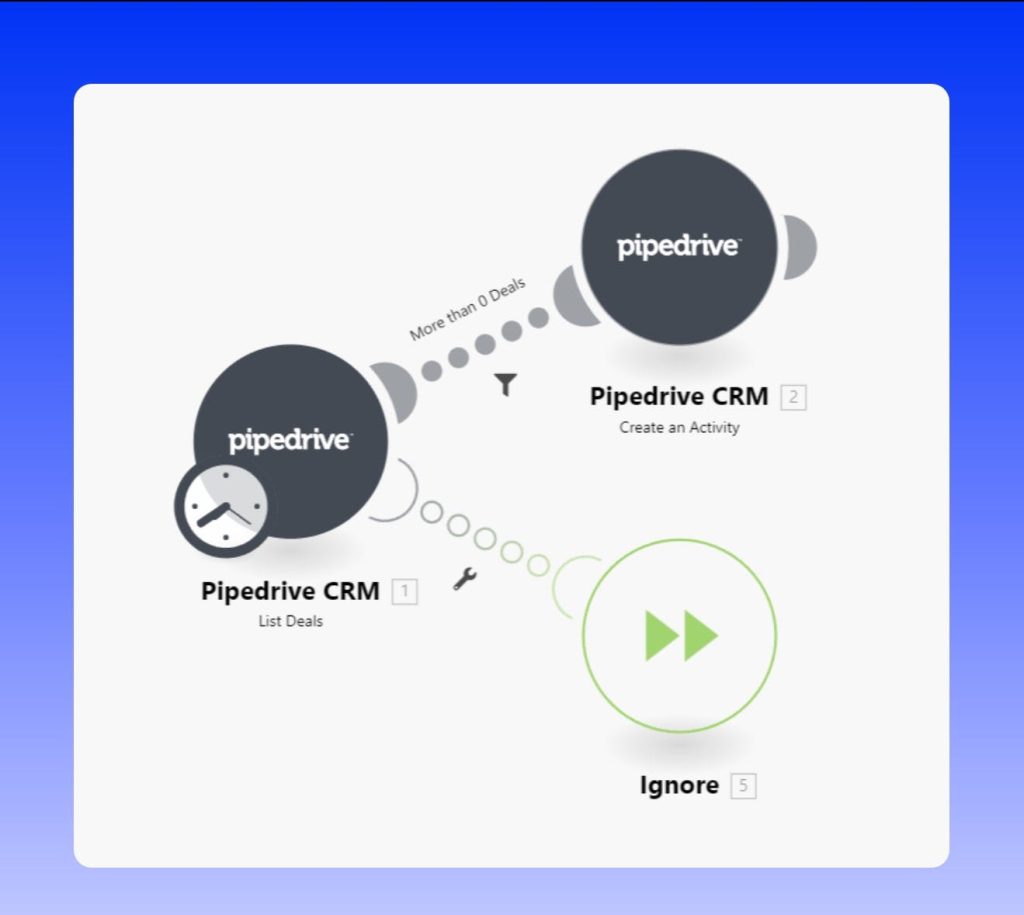
1. Schedule follow-up activities for open deals without activities
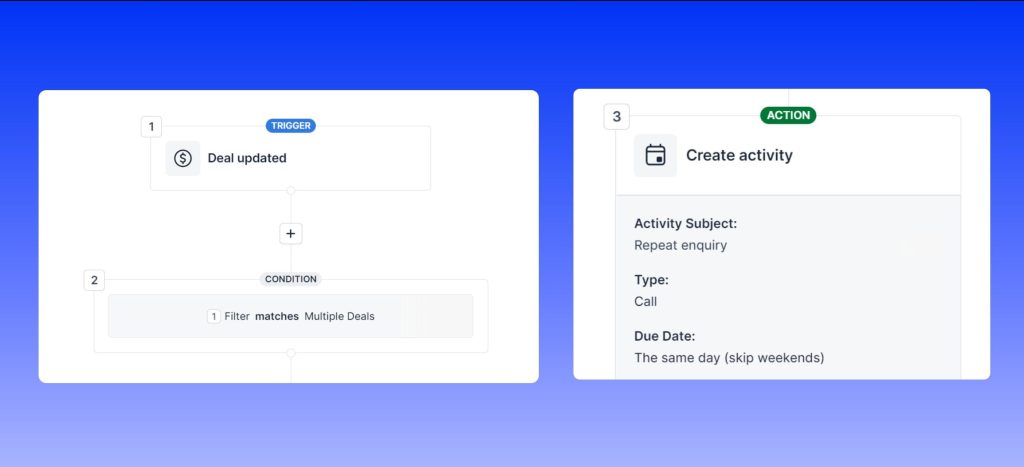
2. Notify the sales team about duplicate deals
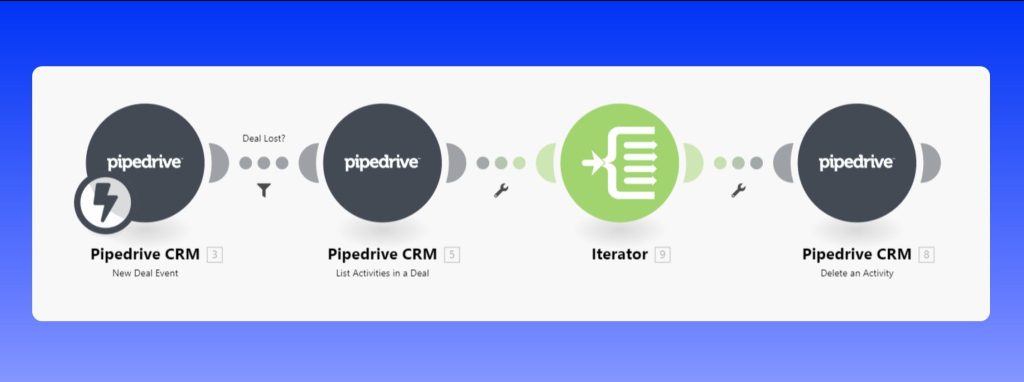
3. Delete all open activities when a deal is lost or deleted
This Make/Integromat workflow allows you to delete outstanding activities for lost deals in Pipedrive in bulk.
4. Create clickable WhatsApp links for every new person
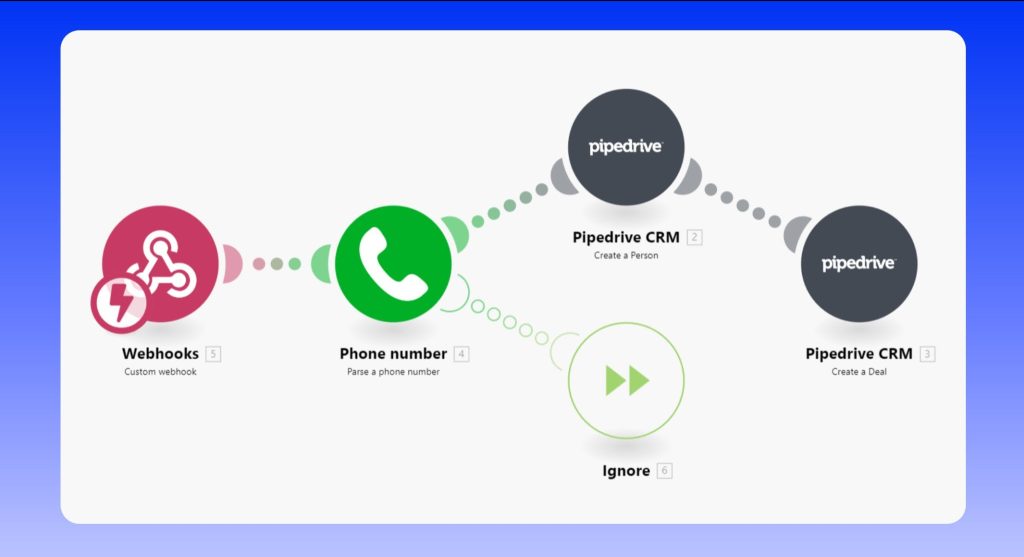
5. Send an email/SMS/WhatsApp when a new deal is created
6. Schedule the next activities at regular intervals
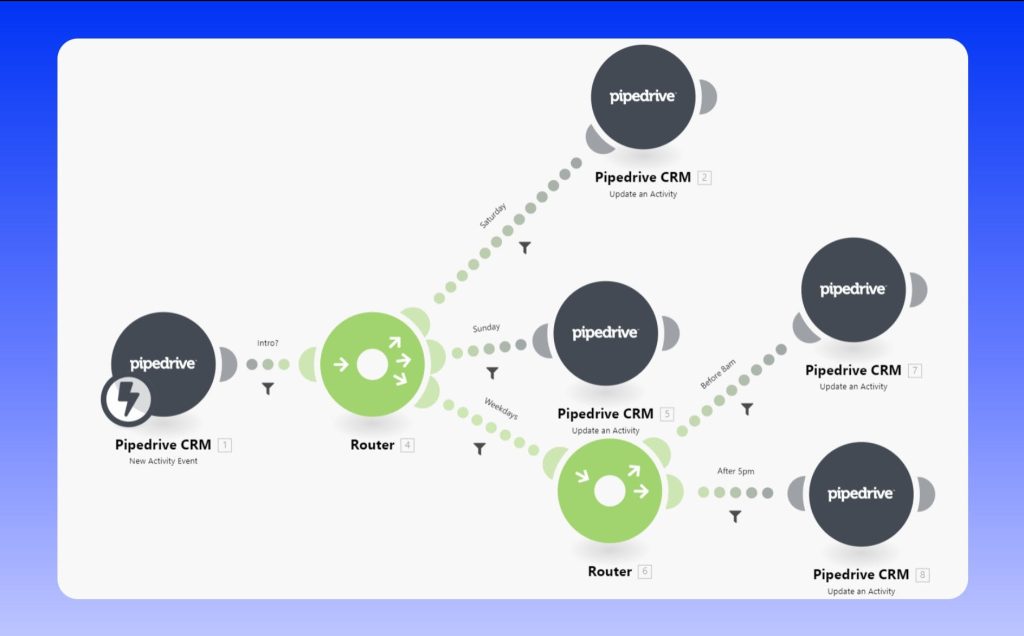
7. Move activities scheduled for the weekend or activities scheduled outside working hours
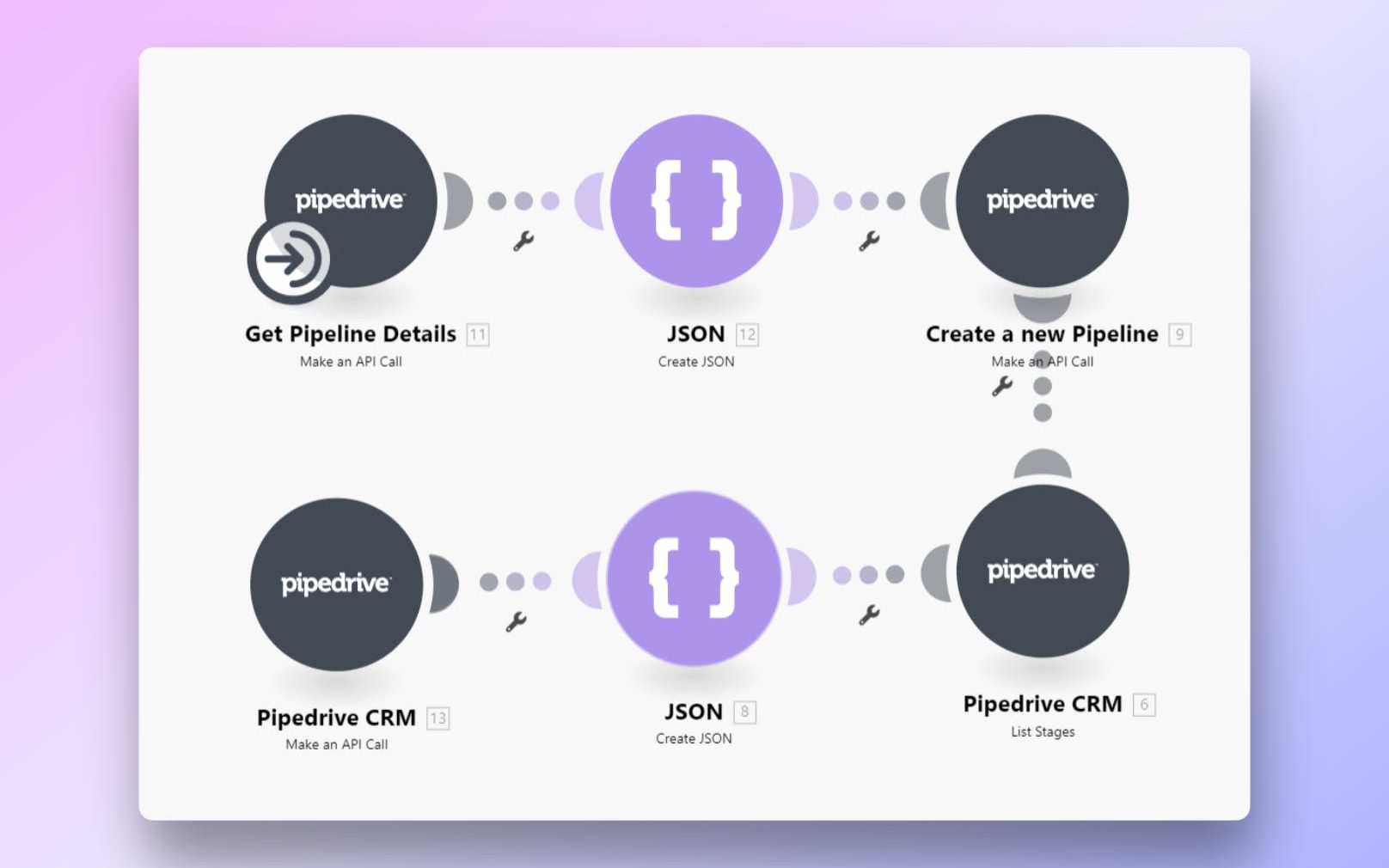
8. Create new pipeline and Pipeline Stages
This Make/Integromat workflow allows you to create new pipelines and pipeline stages in Pipedrive in bulk to speed up new account setup.
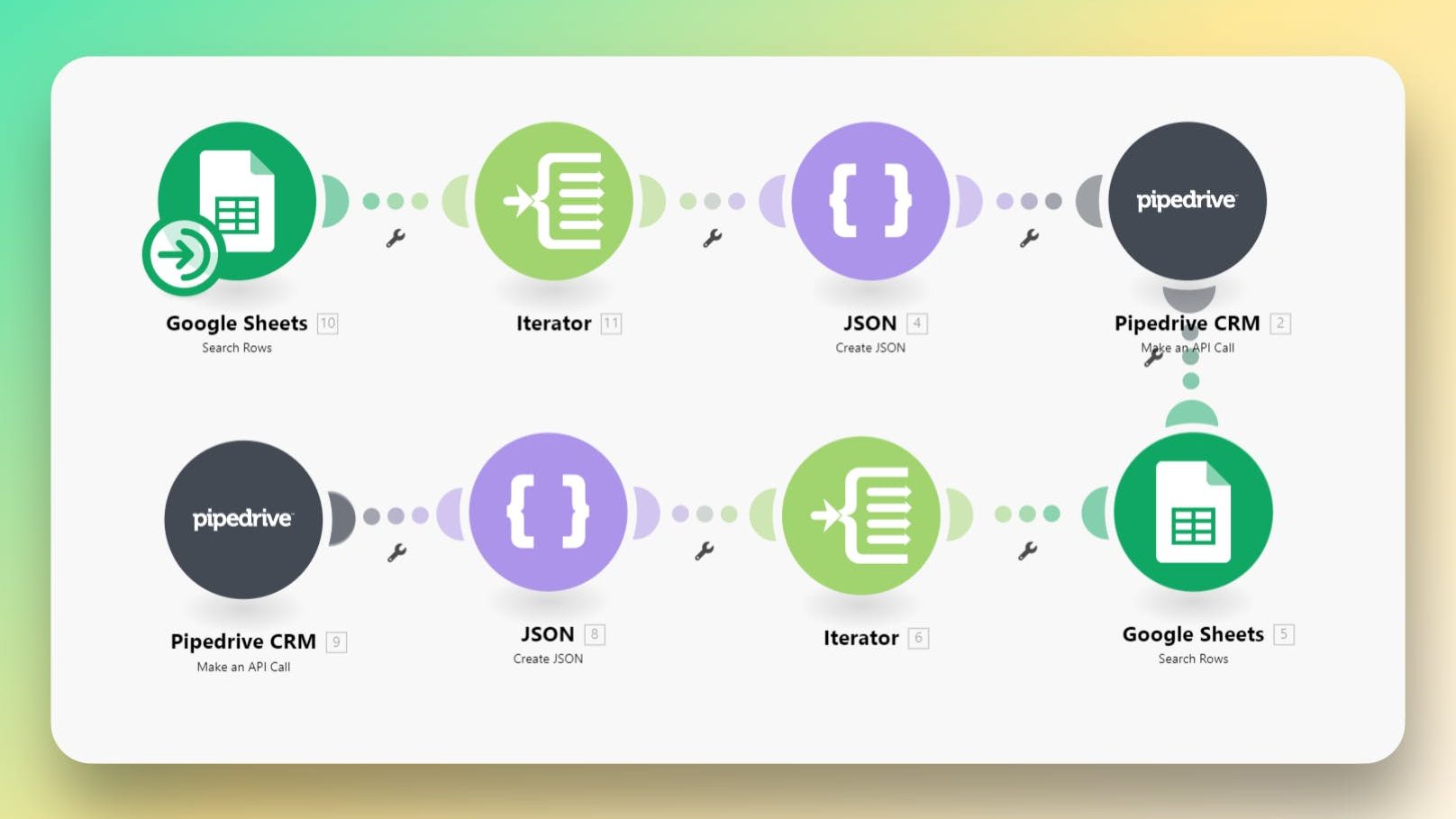
9. Duplicate an existing Pipedrive Pipeline with Pipeline Stages
This Make/Integromat workflow allows you to duplicate an existing pipeline in Pipedrive, along with all the stages, deal probabilities, and rotten settings.